VIEW.01
Read, Edit, and Split views
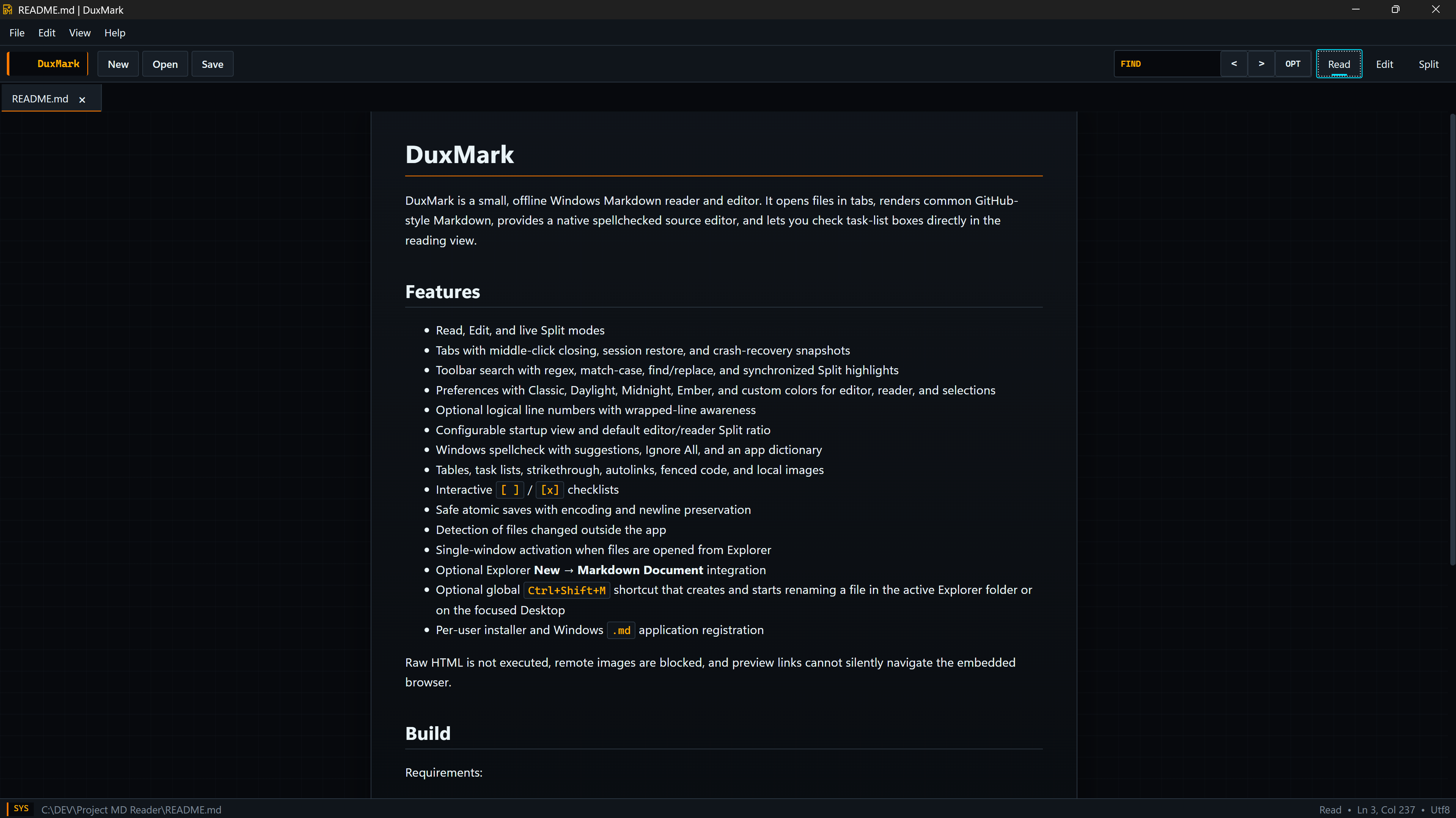
Use a rendered Markdown view, a source editor, or both at the same time. Split view can keep the source and preview positions linked.
DuxMark / WINDOWS
DuxMark is a small, offline Windows application for opening, reading, and editing .md files. Documents open in tabs and can be viewed as rendered Markdown, source text, or both.
 README.md | DuxMark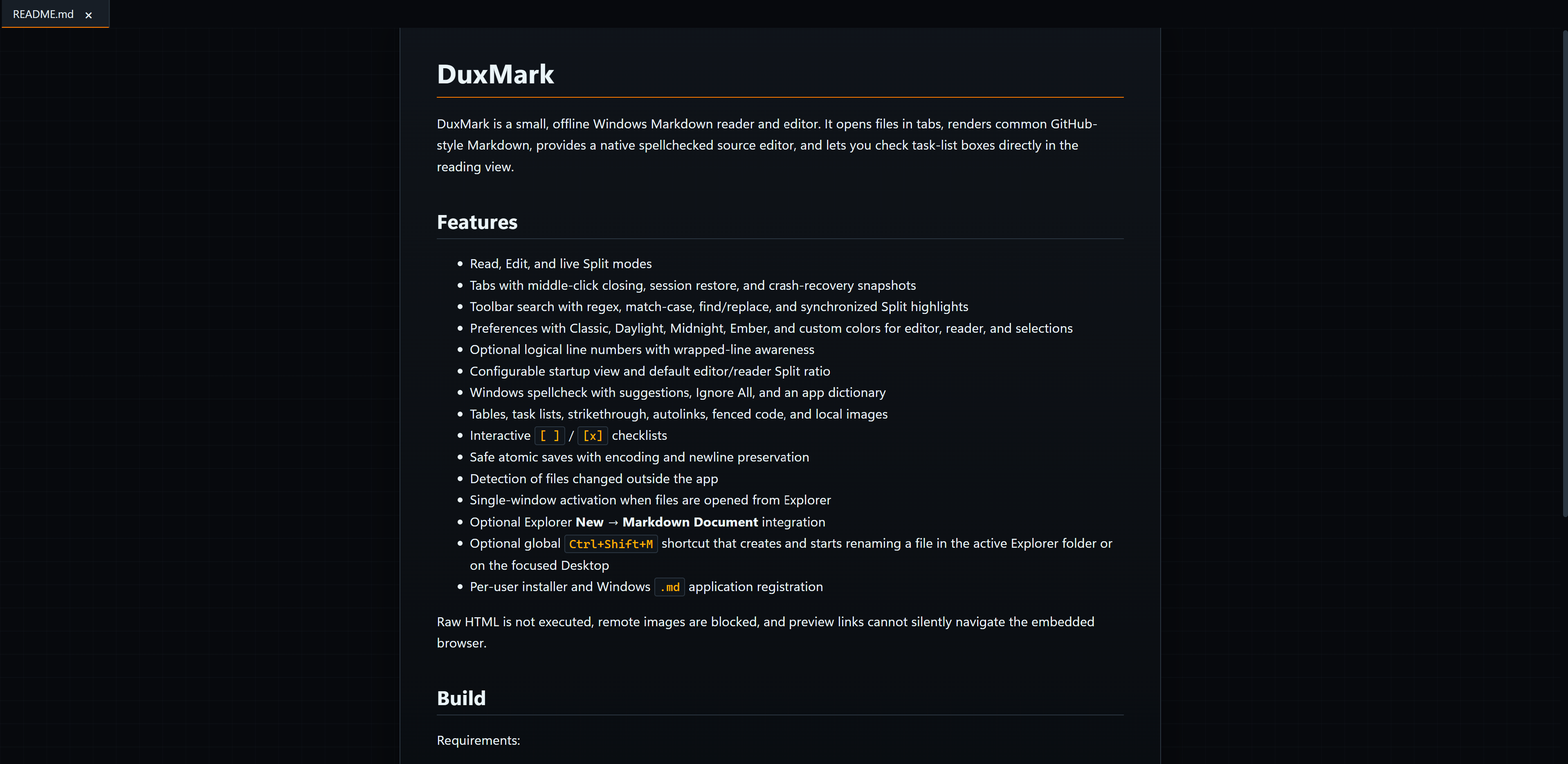
Rendered Markdown with task-list interaction and local image support.
CURRENT FEATURE SET
The current build focuses on local Markdown reading, source editing, document navigation, and control over how each view looks and behaves.
Use a rendered Markdown view, a source editor, or both at the same time. Split view can keep the source and preview positions linked.
Open multiple Markdown files in one window. The application can restore the previous session and keeps recovery snapshots.
The editor uses native Windows spell checking with suggestions, Ignore All, and an application dictionary.
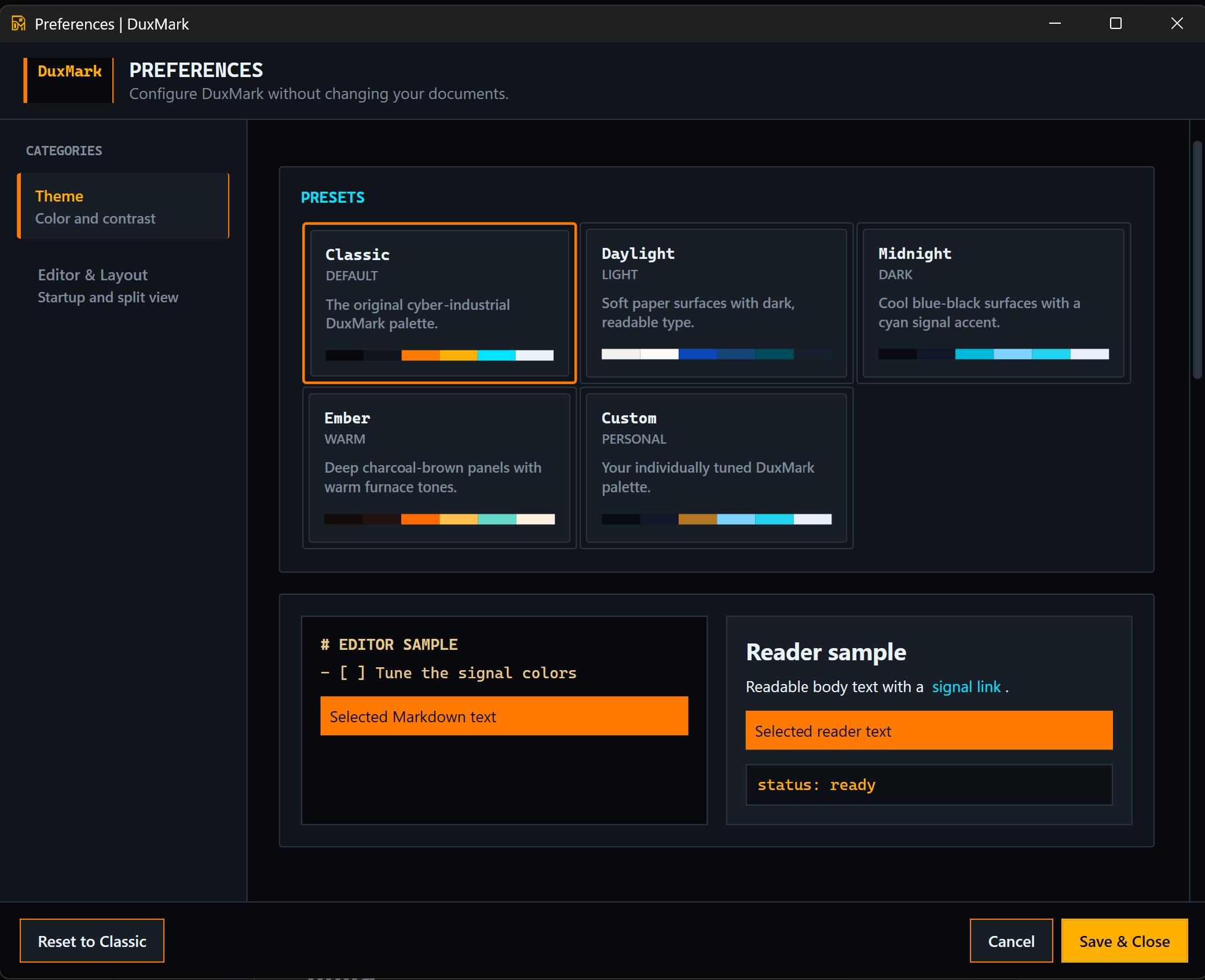
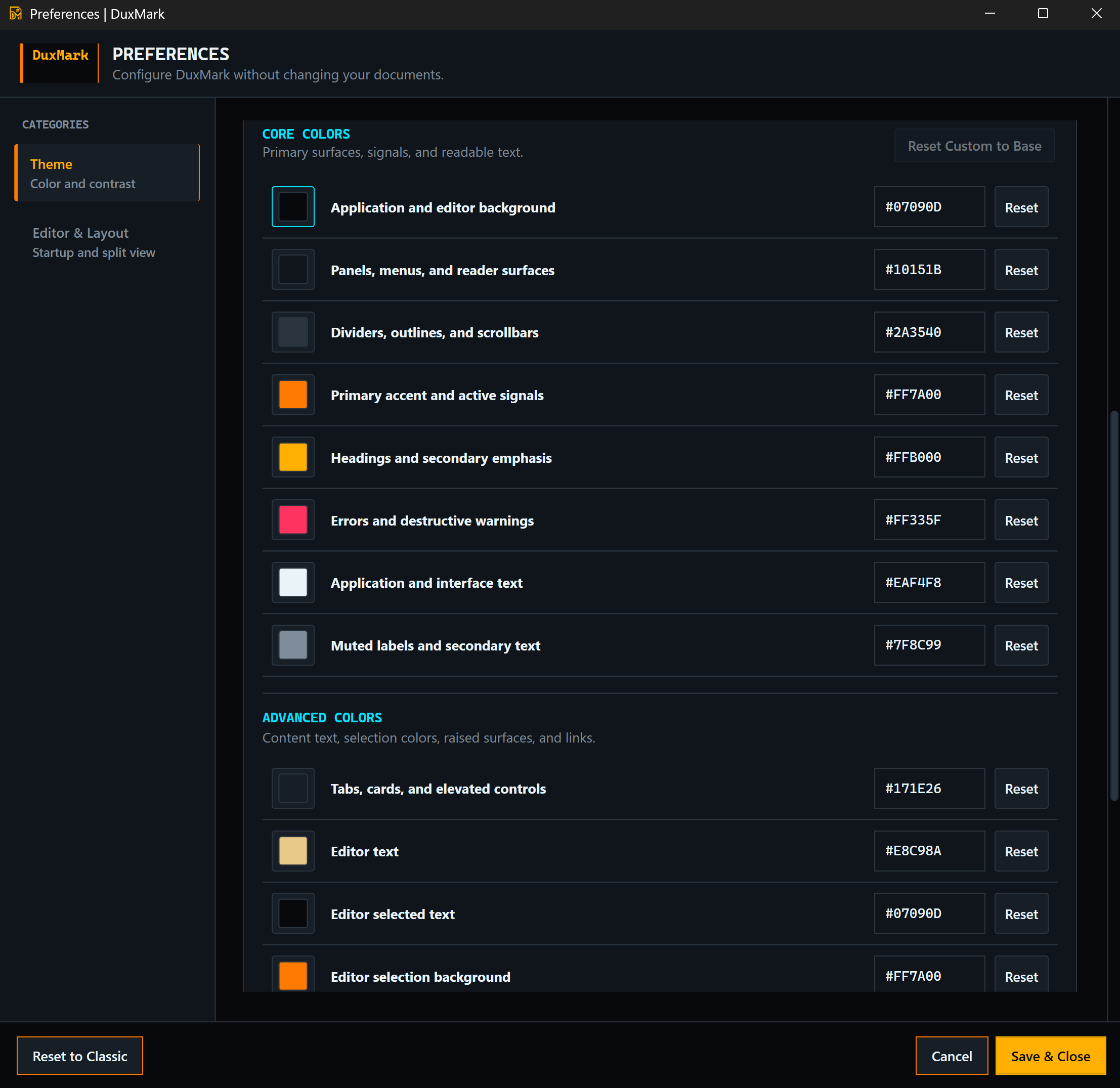
Choose a preset or set individual colors for the application, editor, reader, selections, links, and active controls.
Search the current document with match-case, regular-expression, and replace controls. Split-view results stay synchronized.
Supports tables, task lists, strikethrough, autolinks, fenced code, and local images. Task boxes can be changed from Read view.
APPLICATION VIEWS
Read view renders the document. Edit view exposes the Markdown source. Split view displays both and can synchronize their scroll positions.
THEME AND LAYOUT CONTROLS
DuxMark includes Classic, Daylight, Midnight, and Ember presets. A Custom theme exposes individual values for application surfaces, interface text, editor text, reader content, selections, links, errors, and active signals.
DEVELOPMENT STATUS
More features will be announced soon.
Software inquiries and bug reports